Machines
Add a machine
A host is any machine of yours that hup reaches over ssh: another Mac, a Linux machine, a server on your tailnet. Your agents run there, and you can open them from each of your devices.
Accurate for hup Mac 0.1.483iPad and iPhone 1.1.3
Before you start
From a terminal on your Mac, ssh devbox should open a shell without asking for a password. hup uses your own ssh setup, with your keys, your agent and your ~/.ssh/config, and it never asks for a password itself. If you haven’t connected to the host with ssh before, connect once by hand so its key is in ~/.ssh/known_hosts.
Add a host on your Mac
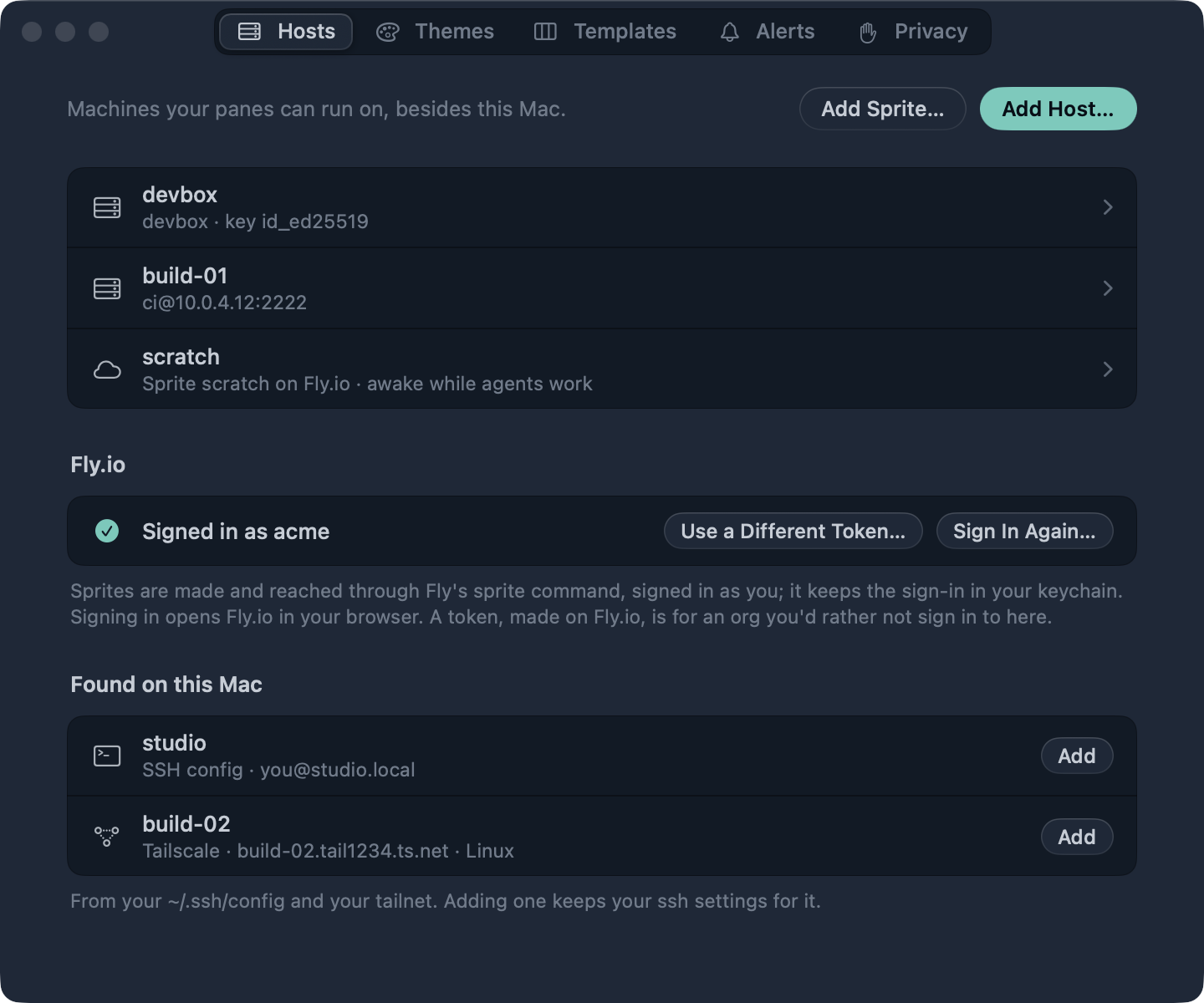
Open hup ▸ Settings… (⌘,) and choose Hosts.
Under Found on this Mac, hup lists the hosts in your
~/.ssh/configand the machines on your tailnet. Add one from there, or choose Add Host… and give it a name and the address you’d give ssh.Choose Test Connection. It says whether hup reaches hupd on the host, and shows ssh’s error if it doesn’t.
hup installs hupd on the host the first time it connects, and updates it later without ending the sessions it’s running.
Open a tab there
Press ⇧⌘T, or click the small badge left of the tabs in the title bar. It reads This Mac in a window on your Mac, and the host’s name in a window on a host. New Tab On… lists every place a pane can run:
- This Mac, and this Mac in a Nono sandbox.
- Your hosts, and machines from your ssh config or tailnet that hup can set up on the way.
- Your Sprites on Fly.io.
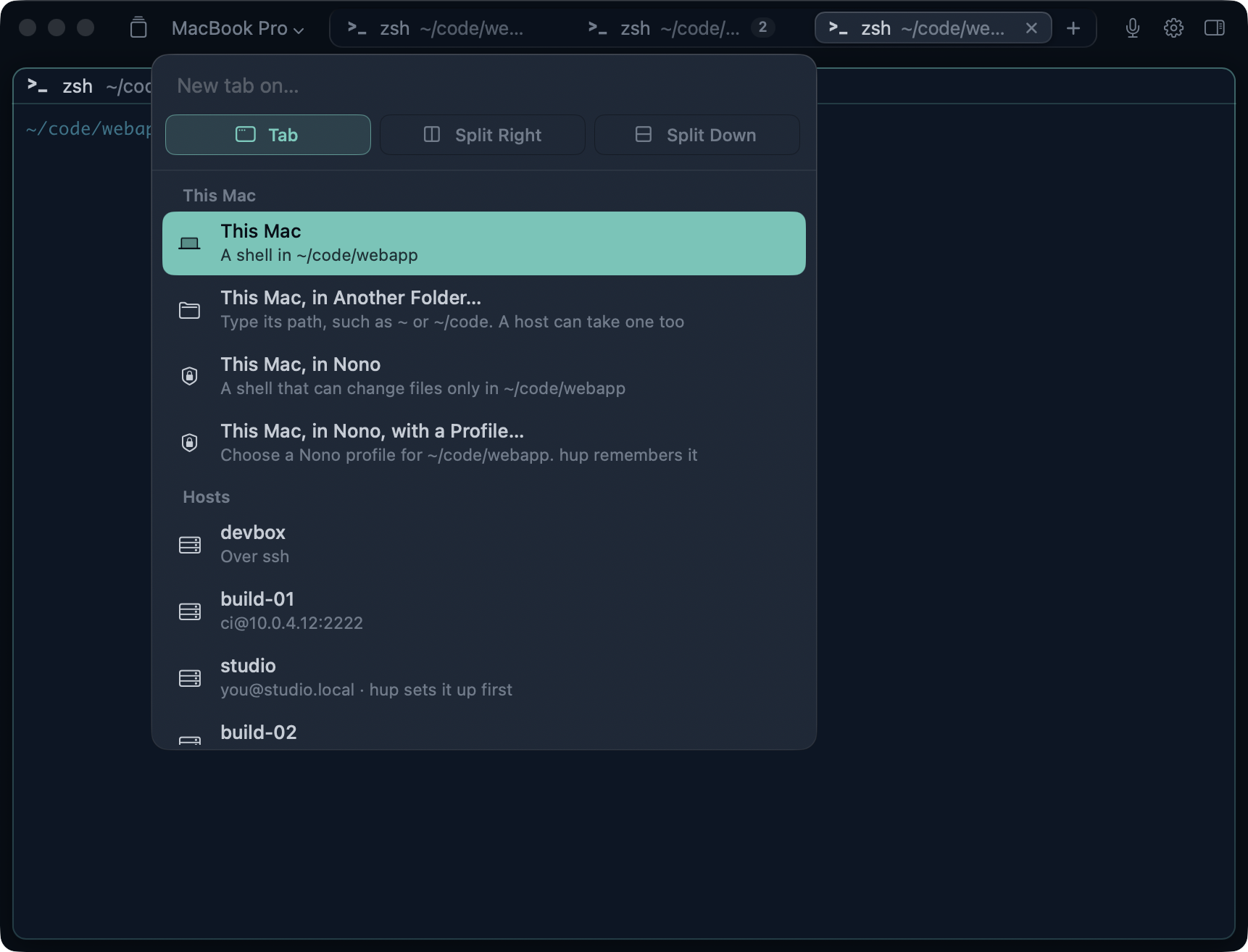
The bar under the list’s filter chooses how it opens: Tab, Split Right or Split Down, and ⇥ moves between them. That’s how you get a shell on this Mac next to an agent on a host, in one tab. The list on iPad and iPhone has the same bar.
Mac A shell on this Mac starts in the focused pane’s folder. For another folder, choose This Mac, in Another Folder…, or type a path such as ~ or ~/code into the filter. The list then shows the folders that path names on this Mac. It also shows a row for each host, for a shell in that folder there.
iPadiPhone A shell on a host starts in its home folder. For another folder, choose In Another Folder…, or type a path such as ~/code into the filter. The list then shows a row for each host, for a shell in that folder there. If the host has no such folder, the shell starts in the home folder.
After that, the usual shortcuts stay on the same machine. A new tab (⌘T) or split (⌘D) opens on the focused pane’s host, in its directory. Each pane’s header shows its host’s name, so you can always tell where you’re typing.
On your iPad and iPhone
An iPad or iPhone connects with a key of its own. Add your machine there in a couple of minutes.
Over Tailscale
hup connects to whatever address you give it, so a machine’s tailnet name works anywhere your tailnet does: at home or away. There’s no hup server in between: the connection is ssh from your device to your machine.
Forward a port
Some things an agent starts on a host answer only on that host: a sign-in page that ends at http://localhost:1455, or a dev server on port 3000. A forwarded port lets the browser on your Mac reach them.
Open the host’s page in Settings ▸ Hosts.
Under Port forwards, type the ports, with commas between them:
1455, 3000.Open a pane on that host. While one is open,
localhost:3000on your Mac leads to port 3000 on the host.
To use a different port on your Mac, write two: 8080:3000 leads your Mac’s port 8080 to the host’s port 3000.
iPadiPhone Open the host in Settings and type the ports under Port forwards. The port then leads from that device: localhost:3000 in Safari on your iPad reaches port 3000 on the host.
iPad Keep hup on screen beside Safari, with a pane open on that host.
iPhone The port stays open for about half a minute after you switch from hup to Safari. That’s enough for a sign-in page.
hup listens on your Mac’s own loopback address only, so no other machine on your network can use a forward. Each connection travels over ssh, as your panes do. If another program on your Mac already has the port, the host’s page shows a message that the port is in use. Sprites don’t have port forwards.
Host keys
Mac Your Mac’s ssh decides which hosts to trust, from ~/.ssh/known_hosts, as in any terminal.
iPadiPhone hup shows a new host’s key with its fingerprint and waits for Trust This Key. If a host’s key ever changes, hup stops connecting and shows the new key. Choose Replace the Key… only when you know why it changed, such as a machine you reinstalled.
hupd on the host
hupd is one small program at ~/.local/share/hup/bin/hupd. It needs no root and opens no port: hup reaches it through ssh. A host’s page in Settings has Check hupd, and from a shell on the host you can run it yourself:
~/.local/share/hup/bin/hupd ls        # the sessions it's running
~/.local/share/hup/bin/hupd kill ID   # end one