Work
The notepad
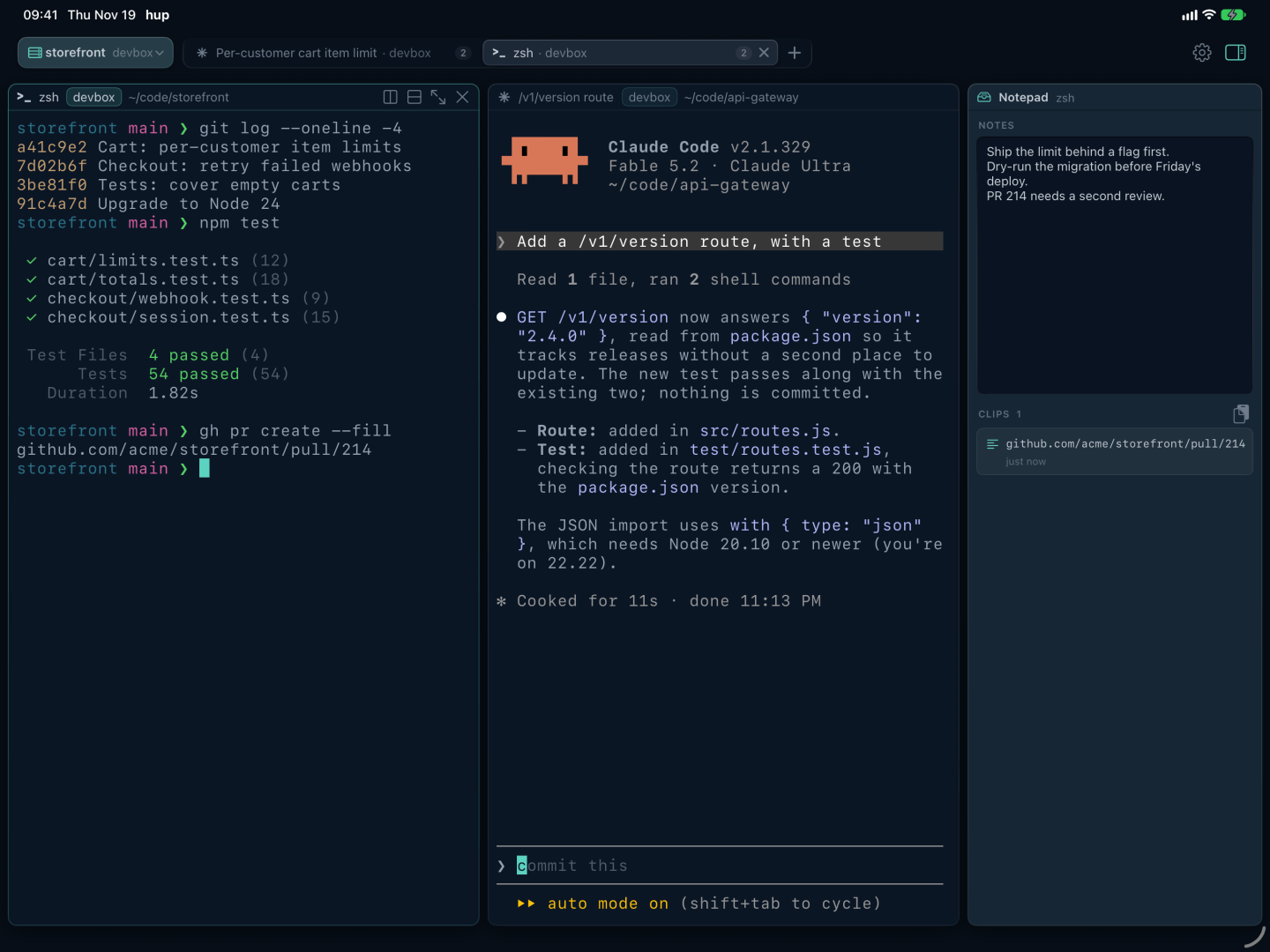
Every pane has a persistent notepad for your notes and for the things you keep from the terminal. It’s kept with the session, so it’s the same notepad on your Mac, your iPad and your iPhone.
Accurate for hup Mac 0.1.483iPad and iPhone 1.1.3
Show it
⌃⌘S shows and hides the notepad for the pane you’re in. Move to another pane and the notepad shows that pane’s notes and clips.
- Mac It docks at the right of the window, or at the left with View ▸ Notepad on the Left. With View ▸ Peek at the Notepad from the Window Edge, it slides out when the pointer reaches the edge, and hides when the pointer leaves.
- iPad It docks beside the panes. Drag the gap to resize it.
- iPhone It opens over the pane.
Keep something
Select text in a pane and press ⇧⌘S, Keep Selection in Notepad. The clip goes to the top of the list: an error you’ll want again, a command that worked, a link an agent printed.
The notepad’s Keep Clipboard button keeps what you copied anywhere else. On iPad and iPhone you can also drop text and links straight onto it.
Use a clip
Click or tap a clip to copy it. Its menu types the clip into the pane, as if you’d pasted it at the prompt, or removes it.
Notes
The notepad’s Notes are for anything you want to write down: what this agent is working on, what to check when it’s done, where you stopped. On iPad and iPhone, Notes for This Pane in the Edit menu takes you there.
Why it’s on every device
The notepad is kept by hupd on the machine the session runs on, beside the session itself. Any device that opens the session opens its notepad too, so a note you write on your Mac is there on your iPad.