Work
Sessions, tabs and panes
A session is a program running in hupd: an agent, a shell, a build. A pane shows one, a tab holds a few panes, and none of them depend on the window staying open.
Accurate for hup Mac 0.1.483iPad and iPhone 1.1.3
Tabs and panes
| New tab | ⌘T |
|---|---|
| New tab on another machine | ⇧⌘T |
| Split right, split down | ⌘D ⇧⌘D |
| Next pane, previous pane | ⌘] ⌘[ |
| The pane in a direction | ⌥⌘arrows |
| Move a divider | ⌃⌘arrows |
| Make the panes equal | ⌃⌘= |
| Zoom the pane | ⇧⌘↩ |
| Close the pane, the tab | ⌘W ⌥⌘W |
A new tab or split opens on the same machine as the pane you’re in, and in its directory. Each pane’s header shows the program, its title and the host it runs on.
Switch to any session
⌘K lists every pane in every window with what it’s doing: working, done, or waiting for you. Type a few letters and press Return to go there.
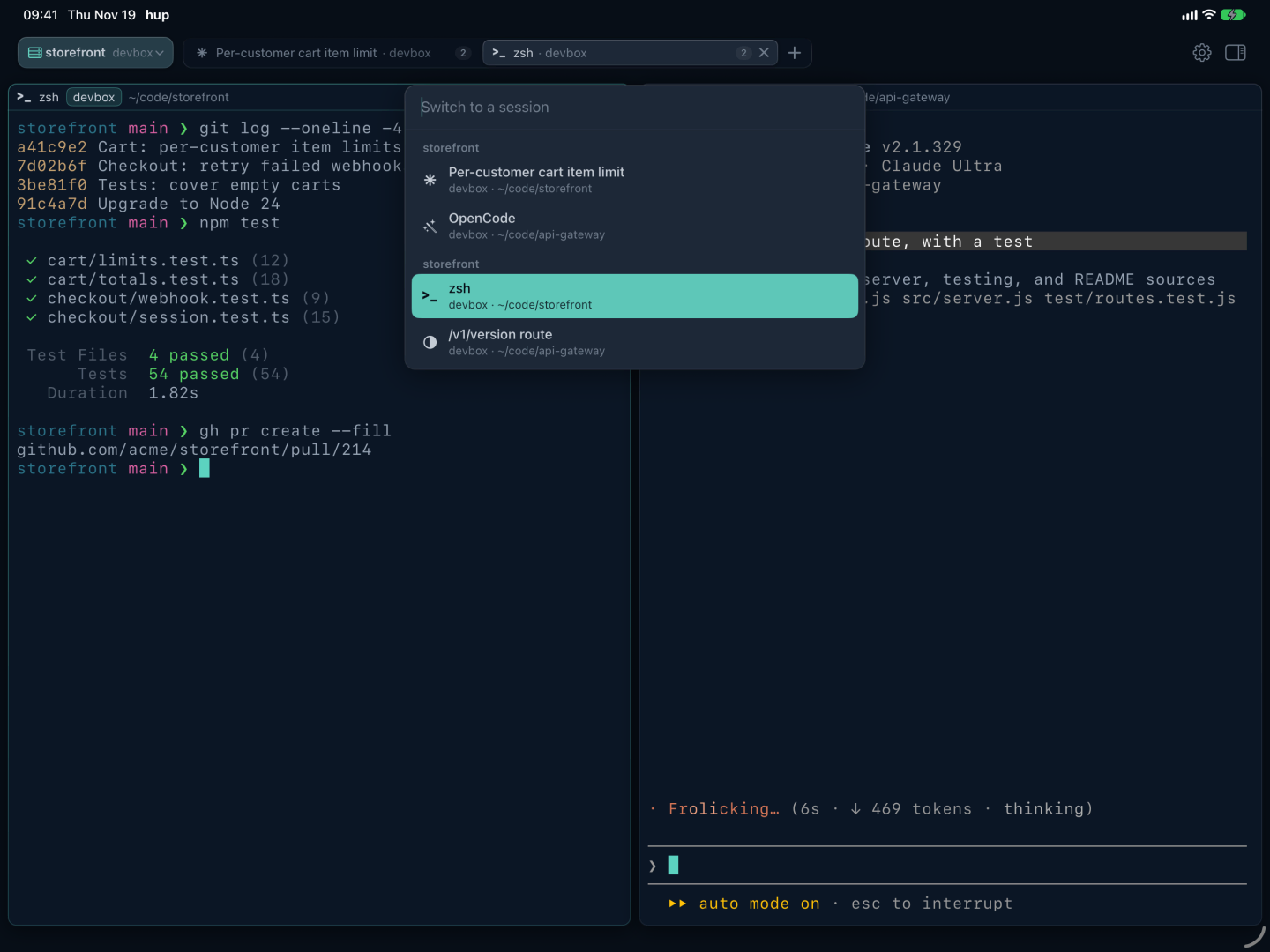
Below them, Running on lists the sessions that no window is showing, on this Mac and on each host. Choose one to open it in a new tab. A session you started from your iPad shows up here on your Mac, and the other way round.
If hup can’t reach a host, the list shows Can’t reach with the host’s name. Choose that line to open a tab there, which shows the reason.
What keeps running
Sessions run in hupd, so they keep running through all of these:
- You quit hup, or it updates.
- Your Mac sleeps, or your iPad locks.
- The network drops. The pane says reconnecting, and catches up when the link is back.
Closing a pane is what ends its program. When something other than an idle shell is running there, hup asks first. On iPad and iPhone a pane’s menu also has Detach, which takes the pane off your screen and leaves its session running on the host.
One session on several devices
The same session can be open on your Mac, your iPad and your iPhone at once, and what you type on one shows on the others. A terminal has one size, though. When another device is holding it, the pane’s header shows Sized elsewhere · Fit. Choose Fit, or just start typing, and the session takes this window’s size.
Find, links and the pointer
- ⌘F finds text in a pane’s output and its history. Return goes to the next match, and Esc closes the bar.
- Mac ⌘-click opens a link, or a file path that exists, including one with a line number like
src/cart.ts:42:7. - iPadiPhone Touch and hold a link for Open Link, Copy Link and Keep Link in Notepad.
- A long address that a program spreads over several rows, such as an agent’s sign-in link, is one link. It opens whole from any of its rows, and a copy of it has no line breaks inside.
- When a program copies something for you (an agent’s “c to copy”), it goes to the clipboard of the device you’re using.
- Mac A right-click has Copy, Paste and the rest. When the program in the pane is using the mouse itself, hold Shift.
- ⌘= and ⌘- make the text bigger and smaller.
Any command by name
⇧⌘P opens the command palette. Type part of a command’s name, such as “split” or “notepad”, and press Return.
hup in the menu bar
Mac Turn on hup ▸ Show in Menu Bar and hup stays there after its last window closes. Its menu shows this Mac’s hupd and your hosts, with the agents that are working or need you, and the icon counts the ones waiting for you.